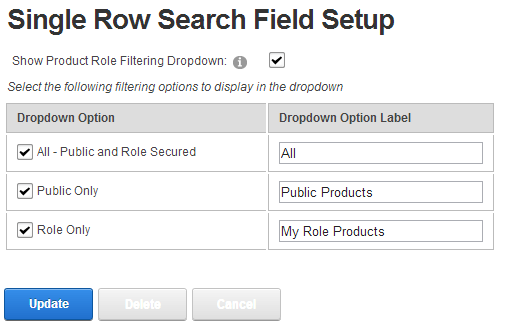
When you select the Single Search Box Layout option the following settings will be displayed:
Show Product Role Filtering Dropdown – Checking this box will turn the search box into a combo box allowing the user to select from dropdown list options for more granular filtering options on the search term entered into the search box.
Dropdown List Filtering Options – If you have checked the “Show Product Role Filtering Dropdown” checkbox, you must select one or more of the following dropdown list filtering options:
•All - Public and Role Secured – The “All” option will search across all products, both public viewable products and products you have defined as only viewable by DNN role.
•Public Only – The “Public Only” option will allow searching of public viewable products only. Products you have defined as viewable by only certain DNN roles will be excluded from the search.
•Role Only - The “Role Only” option will allow searching of Products you have defined as viewable by DNN role. Products you have defined as public viewable will be excluded from the search.